
Skip logic, explained: the four branches every form needs
By Solomon O. · August 28, 2026
Most forms are written for a person who does not exist: someone who is attending the event, bringing guests, has dietary needs, wants a receipt, and has a question for the organiser. Everyone else scrolls past fields that are not for them, and some of them give up on the way.
Skip logic fixes that. It shows or hides questions based on earlier answers, so each respondent sees a form that feels written for them. It sounds advanced. In practice, four patterns cover almost every form.
1. The gate
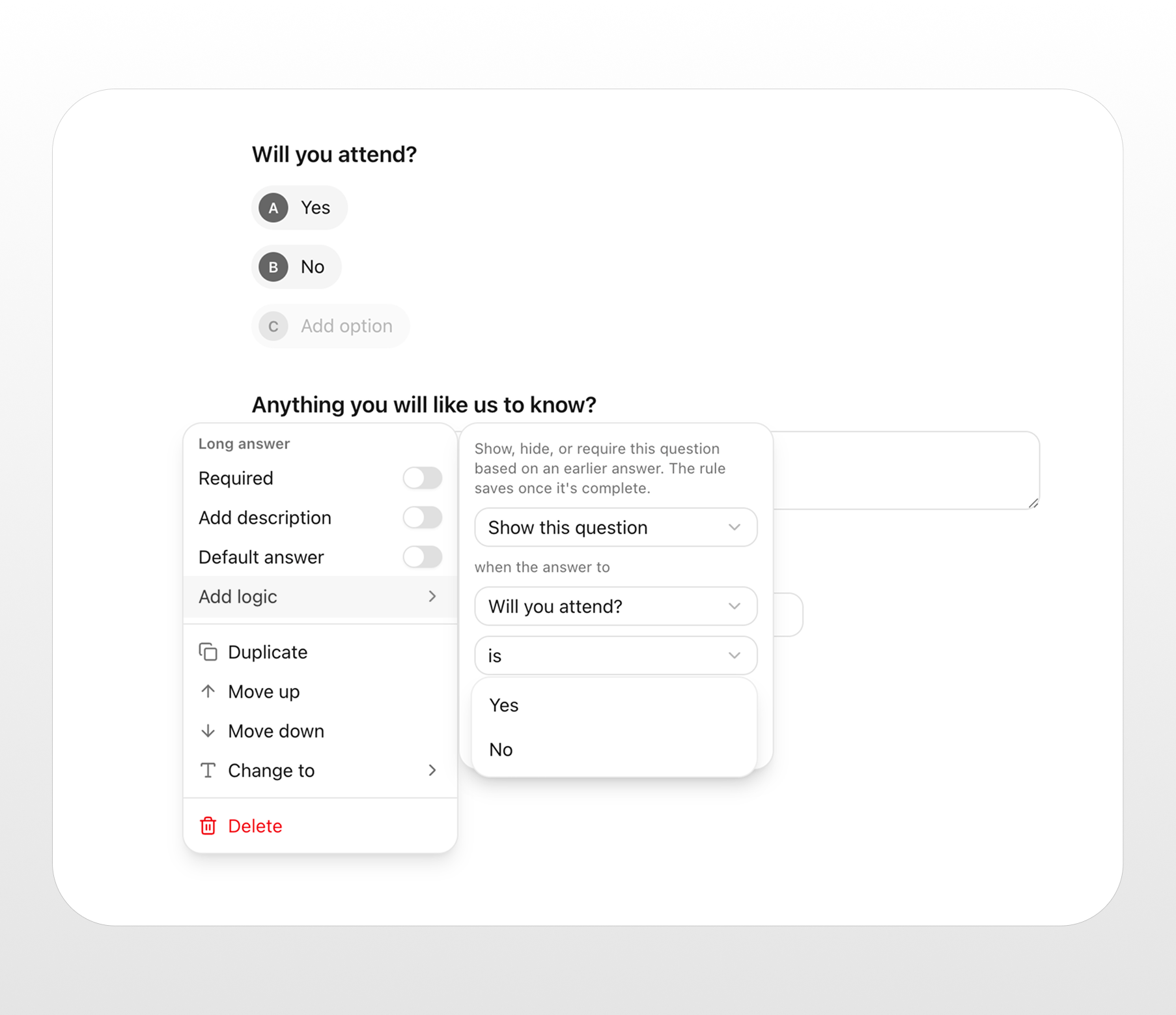
One yes/no question decides whether a whole block appears.
"Will you attend?" If yes, ask about guests, meals and arrival time. If no, skip straight to "anything you'd like us to know?" and the submit button.
The gate is the branch to reach for first. If you can only add one piece of logic to a form, make it this one. It removes the most fields for the most people.
Every question you hide from someone who does not need it is a question they cannot abandon on.
2. The detail
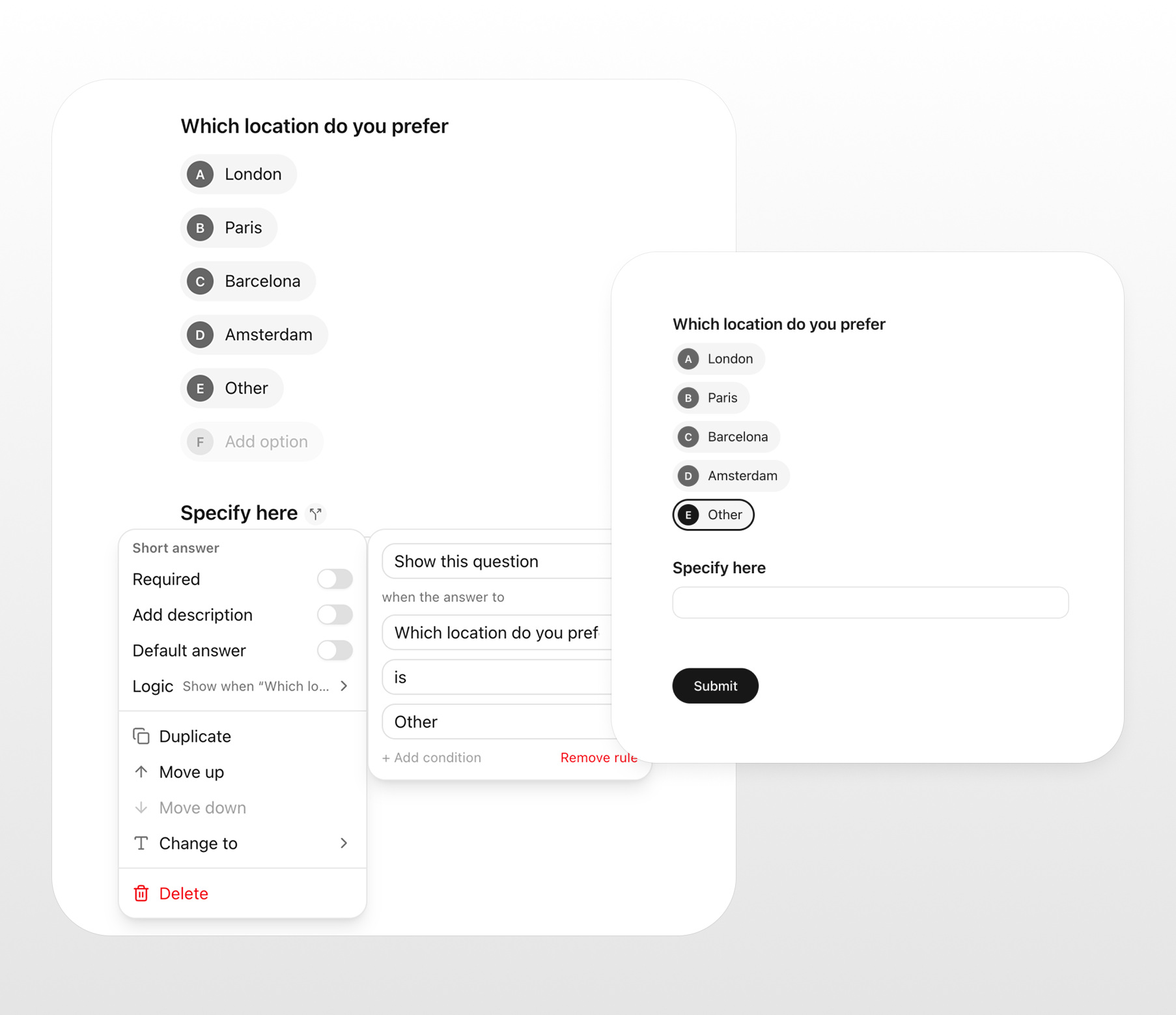
A "tell me more" question that only opens when the answer needs it.
Pick "Other" and a text field appears asking what. Choose "Dietary requirements: yes" and a field asks which. Rate the experience 1 or 2 out of 5 and a box appears: "what went wrong?"
The detail keeps your main form short while still capturing the specifics when they exist. It also stops the classic "Other (please specify)" field sitting empty and awkward for the 90% who did not pick Other.
3. The route
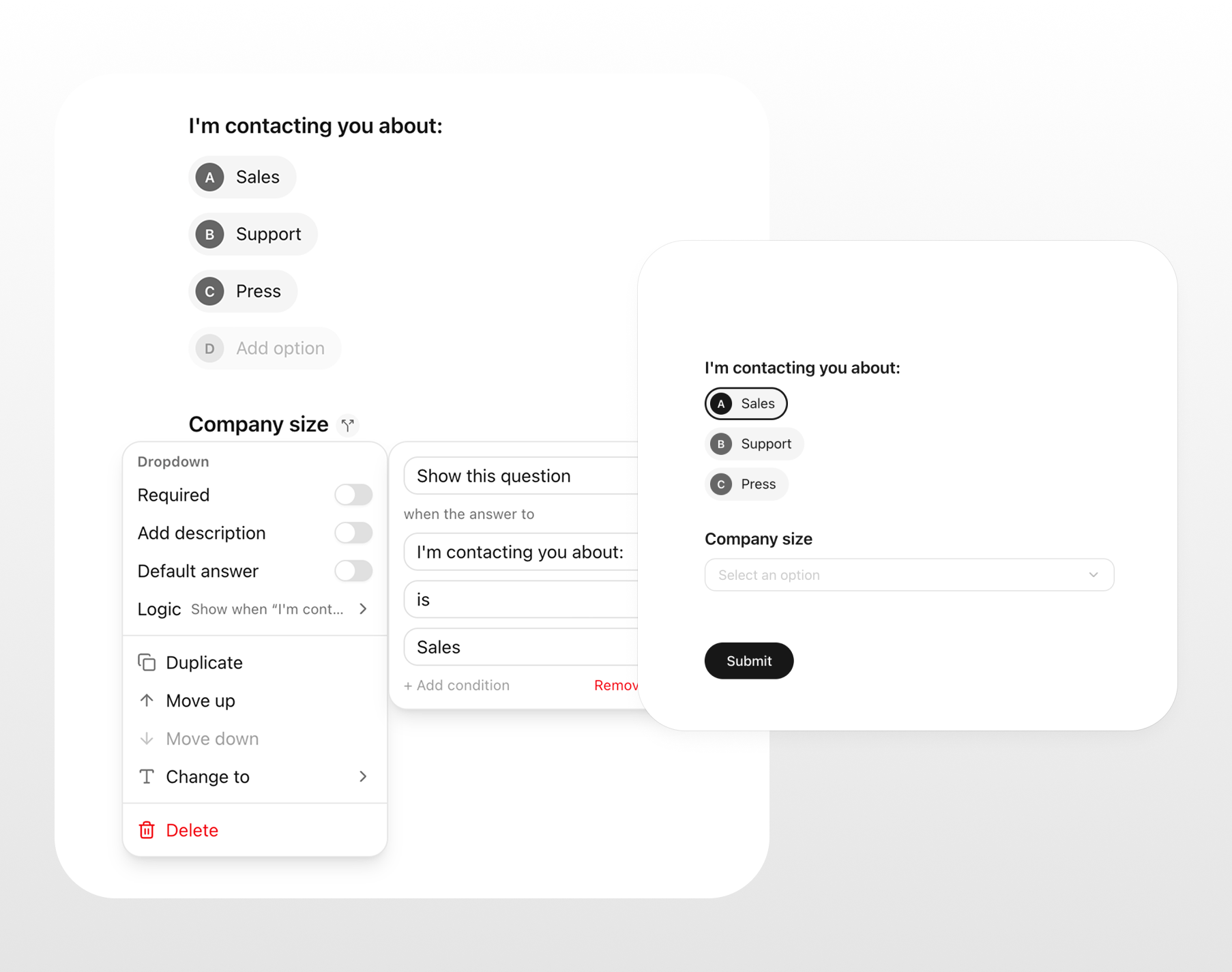
One question sends people down different paths.
"I'm contacting you about: sales / support / press." Sales sees company size and budget. Support sees product, account email and a file upload for screenshots. Press sees outlet and deadline.
The route is the gate with more than two doors. It is the difference between one generic contact form and three focused ones that share a link. Keep the routing question near the top so people are not answering the wrong path's questions before they reach it.
4. The exit
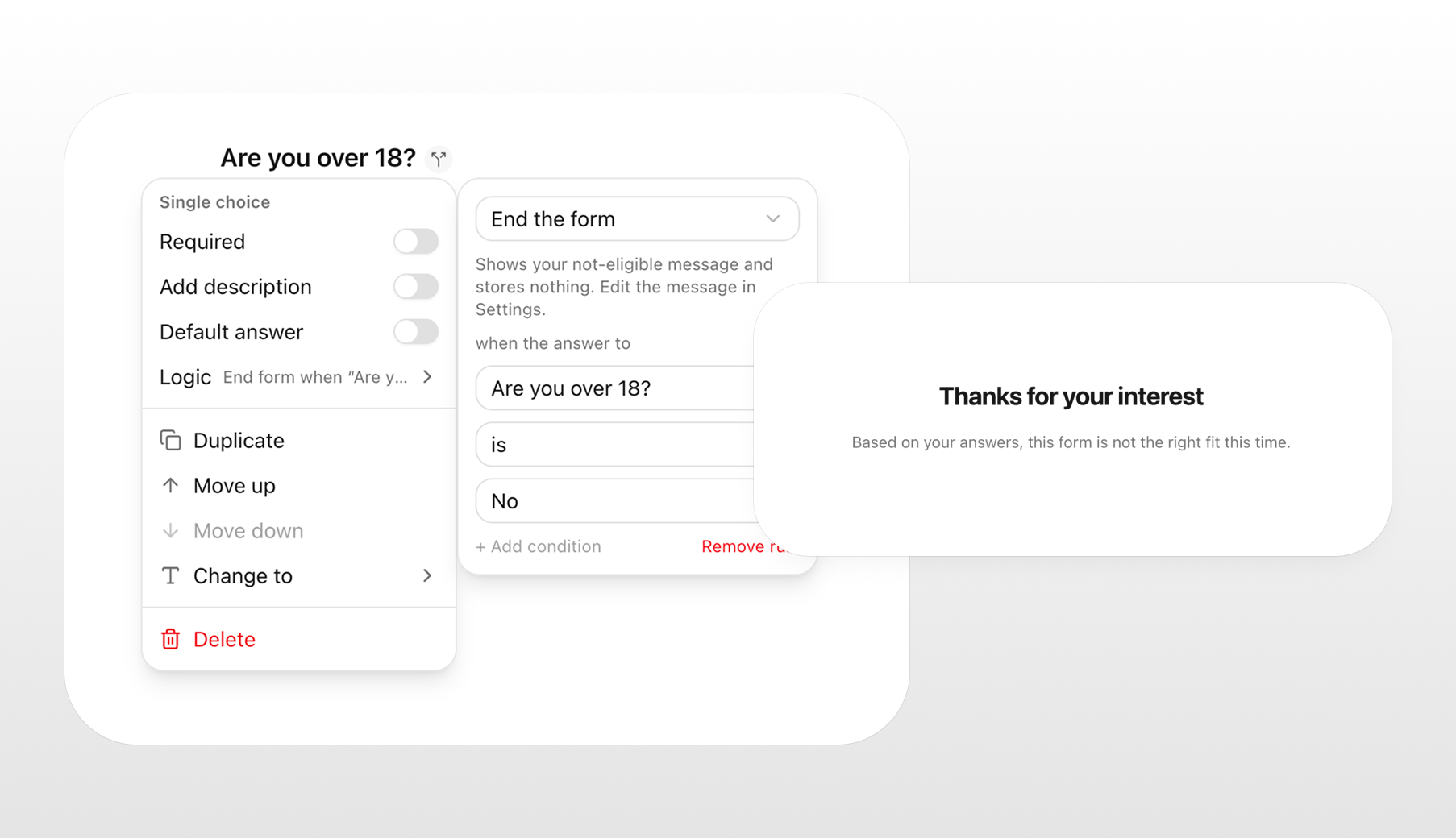
An early finish for people the rest of the form does not apply to.
A research screener: "Have you used a form builder in the last month?" If no, thank them and end. A waitlist: "Are you over 18?" If no, explain and end.
The exit respects the respondent's time and keeps your submissions clean. Say why they are done, politely, and do not make the ending feel like a rejection.
Doing it in Nicelyformed
Describe the branches in your prompt and the AI wires them up: "an RSVP form; only ask about guests and meals if they're attending". Or open any question's menu and choose Add logic: pick the answer that triggers it, and which questions to show or skip. Preview shows you exactly what each path looks like.
Start with the Event RSVP template if you want to see all of this already in place, then change the questions to yours.